Showing posts with label sat phone. Show all posts

Wednesday, February 13, 2013

5 Tips to Get The Most From Your IsatPhone Pro

Inmarsat IsatPhone Pro
When you purchase an emergency communication device such as a satellite phone it is important to familiarize yourself with the main functions. The user’s guide your satellite phone comes with is a good place to start. However there are a few shortcuts or tricks that you may not know when it comes to your IsatPhone Pro satellite phone. Be sure to read these simple ways you can get more out or your Inmarsat IsatPhone Pro.

Always remember the following satellite phone basics when using your IsatPhone Pro. A handheld satellite phone will not work indoors without the use of an external antenna or a docking station. You must be outside with a clear view of the sky, away from structures and trees for reliable service. Also a satellite phone can only send and receive calls when it is registered on the satellite network. It is important to test your satellite phone before its intended use, while you still have access to a landline phone.

  1. Test your IsatPhone Pro for free: Inmarsat has set up a free test phone number that you can call anytime. This will ensure that your phone is active and working properly. Once you have a registered signal on your IsatPhone Pro dial +8707 7699 9999 then press the green call button. When the call is successful you will hear a recorded message from Inmarsat.


  2. Check your Prepaid airtime balance: You will need to be registered on the Inmarsat satellite to check your balance. From the main calling screen enter the balance enquiry code of (*106#) then press the green call button. Your current balance and expiry date of your SIM will be shown on the screen. Another way to access this information is via the phone menu: Select Menu > Setting > Prepay > Balance Enquiry. Note that this option only works for Prepaid customers. Monthly Postpaid subscribers will not be able to check their airtime service via this process.


  3. Send a free message to an IsatPhone Pro: The easiest method of sending an SMS to the IsatPhone Pro is by using the Inmarsat email-to-text service. Simply send an email to 870xxxxxxxxx@message.inmarsat.com (where 870xxxxxxxxx is the IsatPhone Prp mobile number). You can also use the Inmarsat SMS Portal by clicking here. If the IsatPhone Pro is off at the time you send the message, it will be waiting for delivery at the Inmarsat message center for 7 days. The next time your IsatPhone Pro is registered the message will be sent to the phone.


  4. Redial feature: If you press the green call button you can see a list of the previous numbers which you have dialed. Cycle through the numbers with the cursor keys, and when you reach the one you want to call press the green button again to call it.


  5. Send a quick alert with your GPS coordinates: To set up and activate a personal alert, on the IsatPhone Pro go to the menu and select Extras > Personal alert > Edit personal alert. Select Configure personal alert, and edit the recipients and the message. Once your IsatPhone Pro is set up for personal alerts the quickest way to send one is to press * and # simultaneously for at least 2 seconds from the main screen. You will see an icon of an envelope and a message confirmation when the alert is sent. This personal alert will send your short message with GPS coordinates and the time and date the alert was triggered on your phone.

We hope that these quick tips will help you get the most from your satellite phone. If you have any questions about these services please visit GMPCS Personal Communications or call us at 1-888-664-6727

Friday, September 14, 2012

Iridium Extreme Dockers for the 9575 Satellite Phone

Iridium Satellite phone
Beam docking stations are available for the Iridium 9575 Extreme satellite phone. If you have purchased the Iridium Extreme you may want to invest in an additional battery or leather case. Now available from BEAM communications are the Extreme Docking stations exclusive for the Iridium Extreme satellite phone.

Satellite phone users often have concerns with using a satellite phone indoors. Even though the handheld satellite phone alone does not work indoors there are docking stations from BEAM Communications that allows for this satellite communication need.

The Iridium Extreme Dockers come in three different styles: the LiteDOCK, PotsDOCK and the DriveDock. Each of these Dockers has their own specific features to work in several different application.

The most affordable of the three Extreme Dockers is the LiteDock Extreme. At $250 from GMPCS you can have this Docker installed at a fixed site or in a vehicle. The LiteDOCK Extreme will charge the Iridium Extreme handheld phone while it is docked. The LiteDOCK supports the Iridium Extreme’s tracking and SOS function as well as USB data capabilities.

The PotsDOCK Extreme includes more options for the Iridium Extreme. Once docked in the PotsDock Extreme, the Iridium Extreme satellite phone can be integrated into a PBX system. Other features include RJ11/POTS connectivity, Bluetooth, built-in ringer and SOS alert notifications.

The DriveDOCK Extreme provides hands-free communications for mobile applications. The docking station has built-in echo canceling and full duplex technologies to provide superior voice quality and professional hands-free or privacy calls for any vehicle, boat or aircraft.

All of the Extreme Dockers from BEAM are fully certified by Iridium and are RoHS compliant. BEAM also offers a 2 year replacement guarantee on the Extreme Dockers. For a comparison chart on these three Dockers you can click here.

BEAM Communications also makes similar Dockers for the IsatPhone Pro and Iridium 9555 satellite phones.

Wednesday, June 13, 2012

Satellite Phones Are A Must Have For Smart Travelers

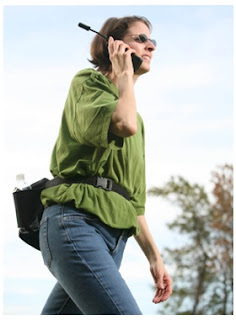
satellite rental phoneIf you travel outside of main urban centers in the United States or abroad, you may find yourself without cell phone service. In case of emergency, a satellite phone can save the day or even save your life. With satellite phones available to rent or to buy fromGMPCS, you will never have to worry about traveling outside of cell phone range.

World travelers can also benefit from the affordable flat rate calling that both Inmarsat and Iridium satellite phones offer. Satellite phone rates are often a fraction of cellular roaming rates, especially in exotic destinations. To learn more about a satellite phone rental click here.

Satellite phones are reliable, easy to use and affordable. They work virtually anywhere on Earth, independently from the local infrastructure and are not affected by weather conditions or natural disasters.

With affordable rental & purchase prices and attractive airtime plans, having access to this potentially lifesaving technology has never been easier.

So while planning for your trip or for the hurricane season, consider renting or buying a satellite phone.

To purchase a satellite phone look at our most popular models the IsatPhone Pro and the Iridium 9555 or Extreme.