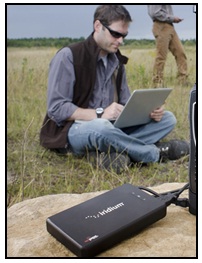
Showing posts with label Iridium satellite phone. Show all posts

Friday, January 25, 2013

Traveling to Russia? Vital Information You Need to Know to Stay Connected

Iridium and the Russian regulatory authorities have reached an agreement to allow Iridium to legally operate in Russia. There has always been Iridium traffic in Russia but it was never officially allowed or forbidden. The Russian Government wants to regulate this grey market and specifically wants to be able to intercept Iridium calls from Russia to other countries in an effort to fight terrorism. So what does this mean for travelers looking to stay connected while in Russia?

Travelers wanting to use their Iridium satellite phone within Russia must register their SIM card or Iridium SBD Device with Iridium Russia. Registration information is provided for compliance with Russian telecommunications regulatory requirements. Iridium Russia will use and disclose registration information only to meet its obligations under Russian law. An Iridium device can be registered by subscribers for a 6-month period. For service requirements of longer than 6 months, a subscriber should change SIM cards and re-register.

To register, you will need to provide the information below on the registration page of this site.
  • Full name
  • Nationality
  • MSISDN
  • Iridium
  • Device Model (9555, 9575 etc)
  • IMEI


A website owned and operated by Iridium Russia has been created for registering subscribers. If you plan on traveling to Russia with your Iridium device start by going to www.iridiumrussia.com
We recommend to any of our clients operating in Russia to register their SIMs through iridium-russia.com as visiting SIMs and to re-register every 6 months just to be safe.

If you have any questions or concerns please contact GMPCS at 1-888-664-6272 or contact@gmpcs-us.com

Friday, August 24, 2012

Iridium Prepaid Packages and Regional Prepaid Packages Without Hassle

Are you looking for an affordable satellite phone airtime plan without hassle? Iridium prepaid airtime is your answer. Prepaid airtime on Iridium's truly global and reliable network is easy with no credit check, no annual contract or bills.

Iridium Prepaid gives you the option to pick the plan that is right for you. GMPCS offers a variety of low cost prepaid plans to fit all usage patterns from the standard 75 minute voucher with a validity of 30 days to the 5,000 minute voucher valid for 730 days. View our full range of the Iridium Standard Prepaid Vouchers here.

The best value in Iridium prepaid airtime comes in the form of regional vouchers.  These specialty vouchers cover specific areas of the world with discounted airtime.

If you are traveling to Alaska or Canada, your best value for Iridium prepaid is the Northern Lights Plan.  This regional voucher offers discounted airtime for calls originating in Alaska or Canada to Alaska, Canada or the Continental US. (Calls can be made to other areas at a higher rate).

iridium prepaidIf you are traveling to Africa, you should consider the Africa Prepaid Plan.  This voucher is valid for a full 365 days and includes 300 minutes (calls can only be generated from within the African footprint).  For more flexibility, consider the Middle East, North Africa Prepaid Plan also known as the MENA voucher. The MENA voucher offers 500 prepaid minutes for calls originating from any one of the approved MENA countries, and 200 minutes outside of this zone.

Between the standard global prepaid and the great value of these regional vouchers, Iridium Prepaid is affordable and easy.  Call our Sales Team today at 888-664-6727 to order or visit GMPCS for more information.

Friday, August 17, 2012

Battery Stations For The IsatPhone Pro And Iridium 9555 Satellite Phones

isat batteryGMPCS is pleased to offer SatStation battery docking stations for the IsatPhone Pro and Iridium 9555 satellite phones. All of these new battery docking stations are capable of rapid charging a satellite phone battery in a single process without ever draining them. This accessory from GMPCS is available in single bay units as well as four bay units, for both the Inmarsat IsatPhone Pro and the Iridium 9555.

Whether you work in the public service sector or the private sector, your ability to be effective depends on the reliability of you communications system.  While the batteries for your satellite phone keep you connected when no one else can, we have all experienced the frustration of having them run “out of juice”. The SatStation Battery Charger is the only standalone charging station for the IsatPhone Pro and Iridium 9555. It is the perfect solution for those who need their handset ready at all times.

The SatStations have the ability to maintain a battery’s peak condition for as long as it is left on the unit. While the battery is on the SatStation, it will be managed so no overheating or overcharging will occur. The GMPCS satellite phone rental department uses these SatStations to make sure every rental satellite phone goes out with two fully charged batteries. “The SatStation Battery docks are extremely valuable. And when I have several rental satellite phones going out, I know the batteries will be fully charged for our customers.” Says Celia Gajewski, GMPCS rental manager.

If you are interested in more information on the SatStation for your satellite phone please see our product pages for the phones below. They are available and in stock now.

Friday, August 3, 2012

Is Tracking Your Assets More Difficult Than It is Worth?

As a Divisional manager with large asset investments or as a CIO’s looking to help enable controls, asset tracking has been long on promises but high on complexity in terms of implementation and management. An article recently exposed how one government state within a decade lost more than 1,500 items valued at over $3M with only a small portion attributed to theft, yet they recognized the need to implement a solution but also lamented at the complexity of implementation. Perhaps you and your organization are experiencing a similar dilemma.
Typical problems associated with asset tracking are…
Whether tracking a fleet of ships utilizing FleetBroadband monitoring the speed of trucks using Iridium satellite phones and pinpointing the location of agents via their Blackberry or Apple device. Managing all of these assets can be a daunting task. Logging into each individual system separately can waste valuable time and money. Some tracking solutions can be too complex making the task even more time consuming.
What makes a good asset tracking solution?
A good tracking solution tackles the business problem that it was designed to address. You will also want to make sure that it can help in the most effective and efficient way possible. When talking with providers about tracking we found that we also wanted the most functional features such as: geo-fencing, alerts based on speed or time, distress alert and safety options as well as affordable basic tracking.
Here is a listing of some key items to look for:
  1. The ability to manage all types of inventory. A complete tracking solution is what you need.  Write down the functions you require, weather tracking your product en route, being notified when a vehicle leaves an area or arrives and being able to contact a driver in a remote area. Then compare your list to the tracking solution making sure it covers all your needs.
  2.  
  3. Consider the cost (both initial and ongoing). Tracking solutions incur a monthly subscription fee. This initial fee is for activation and continued licensed use of the software. Most tracking solutions have a minimal initial fee with a one year subscription term. The ongoing fees may include advanced options for tracking or special features. Another fee to consider is the airtime usage for a third party device such as tracking with a satellite or GPS subscription. Make sure the tracking cost is lower or equivalent to sending an SMS with your service subscription.
  4.  
  5. Ease-of-use: Your solution needs to be easy to learn, easy to use and easy to get going. The best software and hardware will require little to no IT support. It is very important that the tracking solution be simple to manipulate and user friendly.

Our company, an independent solutions provider of communication tools recently undertook a review of a broad base of hardware and software providers of tracking solutions for industry.

Using the above as criteria we quickly began to eliminate many of the vendors. Upon finalization of the review it was clear only one vendor has truly been paying attention to the customer requirements and has developed a comprehensive package to address this persistent yet highly valuable problem.

GSatTrack via satellite phones from GMPCS
GSatTrack.

GSatTrack is a web based integrated tracking system that works on a multilingual platform. It brings together all the positions of every manufactured product under one location allowing you to display and manage them in a single unified interface.

GSatTrack supports the largest amount of assets and now works on 70+ GPS enabled devices including iPhones, satellite phones, FleetBroadband and BGAN. With GSatTrack you are able to do more than just track one of these devices. You will be able to do a remote configuration and over the air firmware updates, receive alerts based on speed, overlay geo-fences and have direct access to critical safety information, anywhere, anytime. Also GSatTrack allows you to integrate a panic button for assistance in dangerous situations increasing personnel and fleet safety.

The GSatTrack service is based on a modular system making it extremely affordable. You start with the basic tracking service and add additional features as necessary. Therefore you only pay for what you need and nothing more.
 
Companies benefit from the easy to use software that GSatTrack offers. A GSatTrack application can be downloaded onto a Smartphone or tablet allowing for real time tracking information. This App is another feature that makes GSatTrack stand out above the rest. A CEO can tap on the App to view all company assets and their actions on one simple to use interface.
 
Defining Your Needs.
If asset tracking is on your list of corporate priorities consider contacting us so we can walk through your specific needs to determine if this is the right fit for you. If it is, we’d be happy to arrange a demo day and enable you with some devices. Contact a sales representative here to arrange your quote or demo. For more information on GSatTrack and other communication needs view our site at www.gmpcs-us.com

Friday, July 20, 2012

The Inmarsat IsatPhone Pro improves remote safety

With the latest IsatPhone Pro firmware from Inmarsat, your IsatPhone Pro satellite phone can become an emergency personal alert device. The personal alert feature allows users to send their GPS coordinates and short message to predetermined recipients. The IsatPhone Pro subscriber can save time and money with the personal alert option. This new feature is similar to the SOS button on the Iridium Extreme satellite phone.

The personal alert feature enables a user to send their GPS position, along with a short pre-configured message, as an email or text message, to a maximum of 10 recipients. Personal alerts can be sent quickly whilst maximizing reliability. This is achieved by restricting the alert to one 160 character message, and mailing to each recipient separately. Each message sent is charged separately.

The personal alert is made up of the following elements:
  •  Last GPS fix, time of GPS acquisition and fix accuracy
  •  Time that the personal alert was triggered on the phone
  •  Email address of the recipient if the alert is sent as an email
  •  A short message predefined by the user, written in Latin characters

It is fairly simple to set up and activate the personal alert on the IsatPhone Pro satellite phone. To do this, make sure that you have the latest version of the IsatPhone Pro firmware. To check your firmware, choose menu > settings > about. You should have Firmware version v5.0.0 or higher, if not contact GMPCS tech support at 954-973-3100

To set up and activate a personal alert, select Extras > Personal alert > Edit personal alert. Select Configure personal alert, and edit the recipients and the message.

Once your IsatPhone Pro is set up for personal alerts the quickest way to send a personal alert is to press * and # simultaneously for at least 2 seconds from the main screen. The antenna must be deployed and your IsatPhone Pro connected to the satellite to successfully send personal alert messages. Any questions regarding this new feature, please call GMPCS 954-973-3100.

Thursday, July 12, 2012

Tips and Tricks for Iridium Satellite Phones

Iridium 9555 satellite phone
Prior to embarking on a trip and relying on a satellite phone for your communications; you should make sure you’ve familiarized yourself with the main functions of your satphone. The user’s guide and quick start guide that your phone comes with is a good place to start, however there are a few tricks that you may not know when it comes to your Iridium satellite phone. Be sure to read these three simple ways you can get more out of your Iridium. These tips work for all Iridium handheld phones. (Iridium Extreme, Iridium 9555, Iridium 9505A ext.)


1. How people can reach you
Your Iridium satellite phone number is an international phone number, so when family and friends dial you directly they might incur heavy international phone rates. Iridium offers a 2-stage dialing option that only uses a caller’s long distance service when calling the satellite phone. To make a voice call to an Iridium phone from a regular (landline) phone, follow these steps:
  • Dial: (+)1-480-768-2500 This call is a long distance call to the Arizona Iridium gateway.
  • You will hear "Welcome to the Iridium Satellite Global Network"
  • Then enter the Iridium 12 digit satellite phone number. (Ex: 8816-31xx-xxxx)
  • Your Iridium phone must be on, and “registered” with a satellite to receive calls (otherwise it will go to your voicemail)

Another option for contacting someone with an Iridium satellite phone is sending a free SMS text message from the internet. The GMPCS site offers a quick link on the right side of the home page that allows you to send a SMS message via the internet. Simply select the satellite phone carrier’s logo and fill out the required fields and send your message. Iridium offers a FAQ guide about this service here.

2. Check your available prepaid minutes for free
If you are using prepaid airtime service for your Iridium phone you can check your available prepaid minutes very easily. You will have to register your satellite phone on the network with a clear view of the sky, then dial 2888 and press the green send button. After a short moment an automated message will come on the line and tell you your remaining balance, the amount of days left until the SIM expires as well as the expiration date. You can also get this same information by texting the 2888 number.

3. Setting up voicemail without using Iridium airtime
At any time you can check your Iridium voicemail or set up the voicemail message from a landline phone. From a landline phone dial the Arizona Iridium gateway number 1-480-768-2500. After you hear the welcome message, dial your satellite phone number beginning with 8816-XXXX-XXXX. You will then hear the voice mail prompt or your previous recorded message. Interrupt this message by pressing the star key (*). Then enter your Iridium satellite phone password (the default is last 7 digits of your satellite phone number). Now listen to the voicemail prompt for your options. When you do this from a landline you will be using your long distance service and not the Iridium satellite airtime.

If you have any questions on these services please call +1-954-973-3100

Tuesday, May 8, 2012

Helpful Tips When Using the Iridium AxcessPoint With Your Satellite Phone

AxcessPoint
Iridium Axcesspoint
The Iridium AxcessPoint works for the Iridium 9555 satellite phone and the Iridium 9575 Extreme.  AxcessPoint is a lightweight, portable device that connects via USB cable to the Iridium handset and creates a Wi-Fi hotspot.  It establishes a narrowband internet connection primarily suited for email messaging and browsing mobile websites.  Our customers have found that the AxcessPoint is a simplel ‘plug & play’ unit however when setting it up keep these points in mind.

A Connection call
Once you’ve plugged in the unit, there is not much that you need to do in order to start sending emails. Just detect the Wi-Fi hotspot and you are connected.  The connection speed is 2.4kbps so is it not recommended for internet browsing.  Iridium has an email compression software that comes with the AxcessPoint called Mail and Web that you will need to download from www.iridium.com/axcesspoint. Or you can use our free service of GMPCS Speedmail.  Also, there is an iPhone App that allows you to send and receive compressed emails once you are set up. 

It is important to note:  When the AxcessPoint is connected to the Iridium satellite phone and it is turned on, a connection (phone call) is established and it is kept until AxcessPoint is turned off or unplugged from the Iridium Phone.

Also do not use high bandwidth applications made for terrestrial networks such as video or music.


Secure your Wi-Fi
When you create the Wi-Fi hotspot with AxcessPoint you should make sure it is secure.  Iridium AxcessPoint can be password protected.  The default setting is not to require a password for access to the Wi-Fi hotspot. Follow the steps below to set the password:
  • Turn ON Iridium AxcessPoint.
  • Connect to Iridium AxcessPoint to your Wi-Fi laptop via the Wi-Fi connection.
  • Open a web browser and connect to Iridium AxcessPoint’s IP address: http://192.168.0.1 This will bring you to the Administrative Page.
  • Enter your Iridium AxcessPoint’s password that is the last six digits of the MAC address (can be found on the back of the device).
  • On the Basic screen, under Wireless Security Mode, select WEP or WPA-PSK for security mode.
  • In the Preshared key field, you can change the password. The default password is “12345678”
  • Save settings.
  • Iridium AxcessPoint will reboot automatically.

You have now set the password for your Iridium AxcessPoint. The new password will be required to access your iridium Wi-Fi hotspot.

For more information, please contact GMPCS at +1-954-973-3100

Tuesday, April 24, 2012

Iridium Satellite Phone Dockers for the Iridium 9555

Iridium 9555 SatStation
Iridium 9555 Standard Dock SatStation
GMPCS is pleased to offer the SatStation hands free docks for the Iridium 9555 satellite phone.  These affordable docking stations allow you to use the Iridium satellite phone in a building, vehicle or at sea.

One of the new solutions available is the SatStation HandsFree Dock.  This particular docking station is great for mobile applications such as in a vehicle.  The Hands Free Dock includes a 10 watt speaker and features full duplex hands –free operation.  This means your phone call will be loud and clear inside the vehicle.  The SatStation Hands Free Iridium Dock is a ready-to-go vehicular solution with cutting edge background noise filter and echo canceling technology.


If you would like to see how this docking station can be installed in a car look at this installation diagram.


Another option for a fixed installation is the SatStation Standard Dock.  This docking station for the Iridium 9555 satellite phone does not have a hands free option, however it does include a built-in privacy handset.  This option gives you the benefits of a fixed phone with a portable option.  The Iridium 9555 satellite phone can be removed from the docking station to be taken with you as a mobile satellite phone.  And since the dock is charges the portable phone while it’s docked, you will have a fully charged phone ready to be used. 


With either docking station solution you will need to purchase an auxiliary antenna.  For a mobile vehicle application we suggest the Iridium Portable AuxiliaryAntenna.  And for a more fixed or marine solution we suggest the Iridium Pole Mount Antenna.


For any questions and other solutions contact GMPCS at +1-954-973-3100 or www.gmpcs-us.com